The Customer Area is now available in Chinese
We’ve added Chinese language support to the Customer Area, making it easier for more users to manage their accounts in their preferred language.
June 2025

Introducing Chinese in the Customer Area We’re excited to share that the Customer Area is now available in Chinese. This update is part of our ongoing efforts to make your experience more intuitive, inclusive,and accessible, no matter which language you speak. If Chinese is your preferred language, you can now navigate, manage your account, and access key features more comfortably in your native language. Supporting a more global experience Language plays a critical role in ensuring a smooth and effective user experience. By supporting more languages, we’re able to provide clearer communication, reduce misunderstandings, and help you get the most out of the platform. Chinese is one of the most widely spoken languages among our users, and this addition brings us one step closer to offering a truly global experience. How to switch languages Getting started in Chinese is easy. Log in to your Customer Area and go to the language selector located at the bottom of the left-hand navigation menu. Choose Chinese from the list, and your interface will update immediately. You can change your language settings anytime, so you’re always in control of your experience.
Latest updates
 Financial products
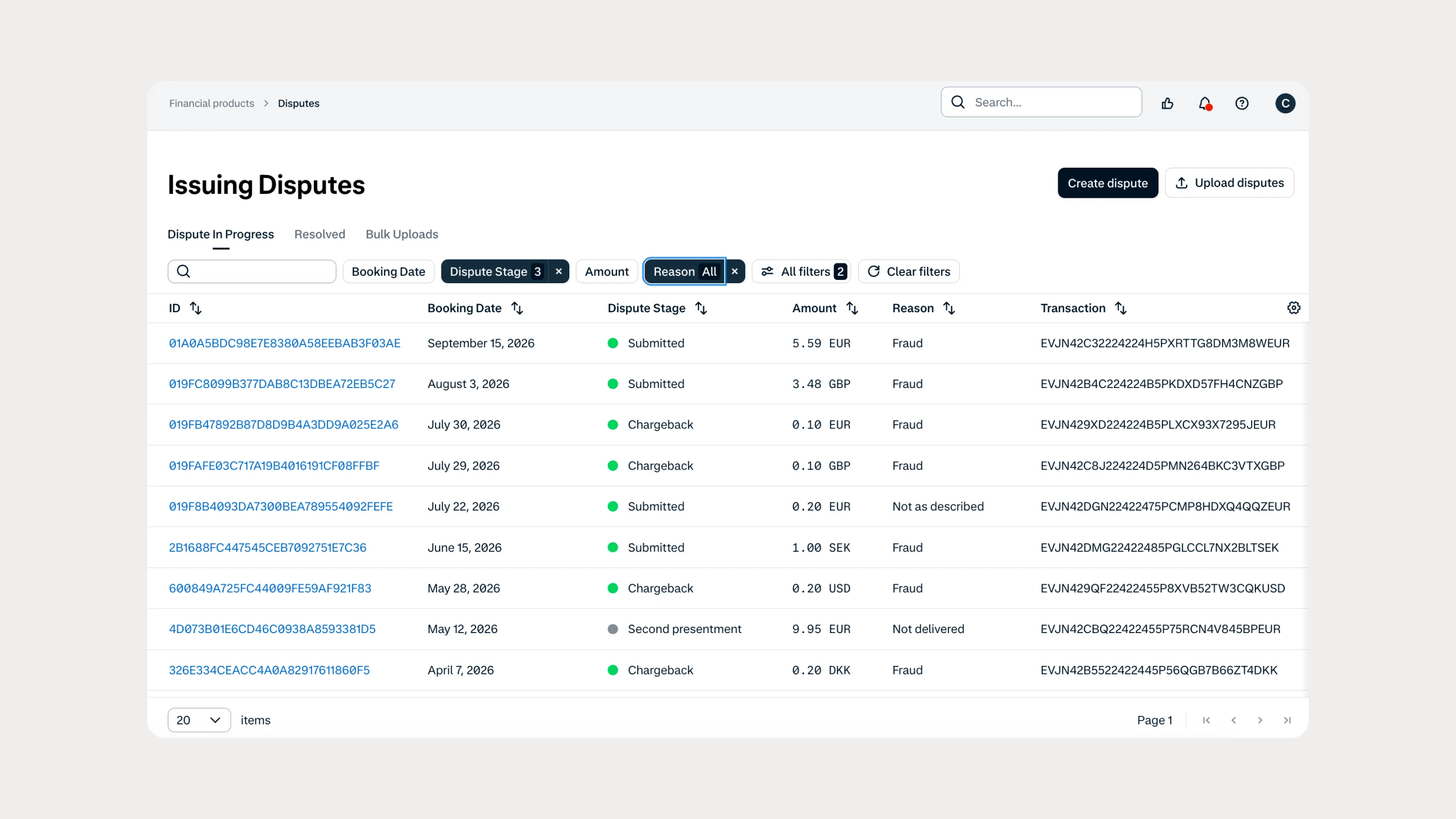
Manage Issuing disputes directly in your Customer Area
Issuing customers can now submit and manage disputes directly in Customer Area, with two new dispute reason codes available through both the UI and API.
 In-person payments
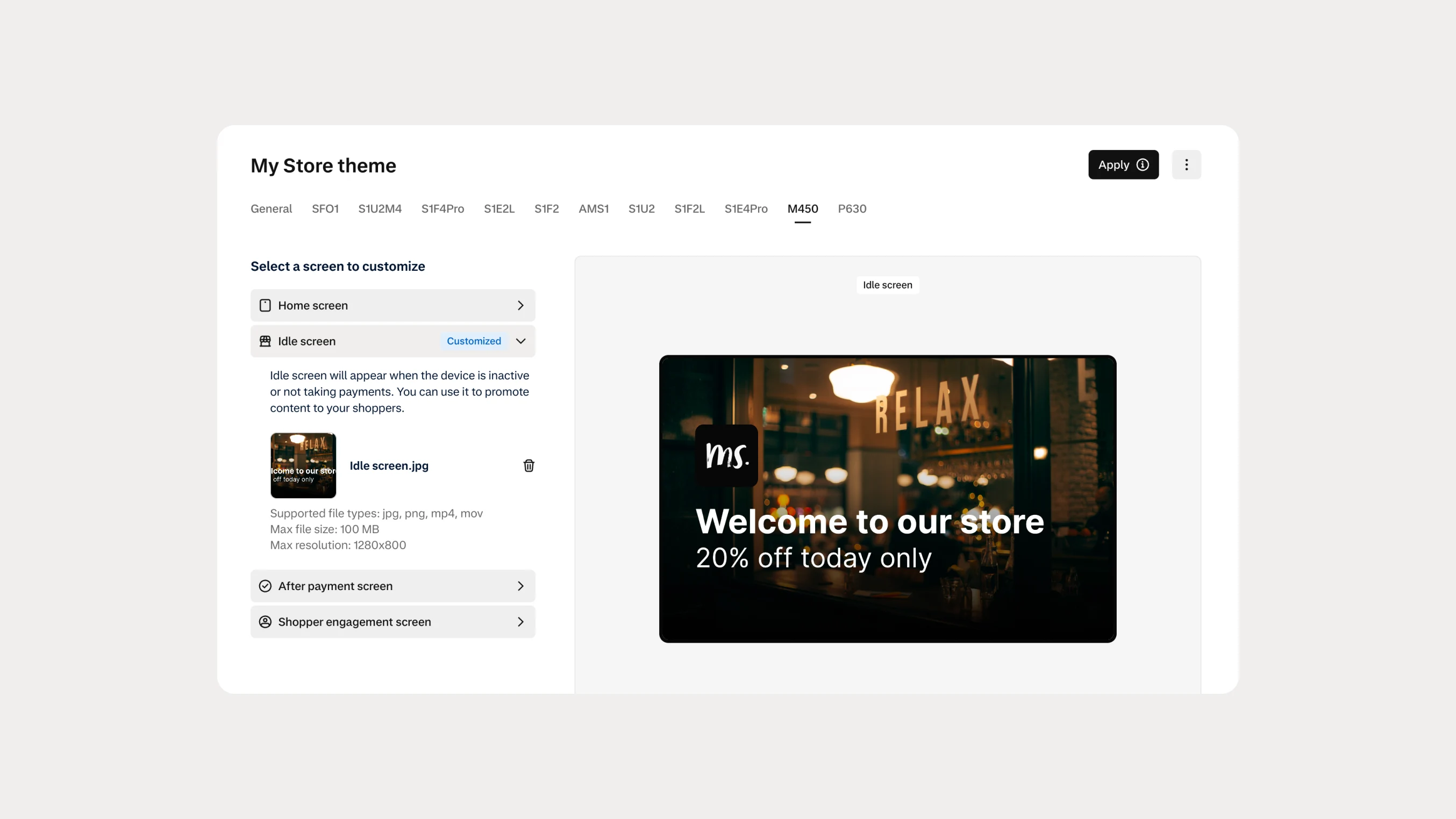
Automate Android terminal branding with Theme Management APIs
You can now use Theme Management APIs to automate branding and screen customization on Android payment terminals. Manage themes across company accounts, merchant accounts, stores, and individual terminals.