Monitor your mobile fleet directly in the Customer Area
Get visibility into the SDK and OS versions running across your mobile devices so you can prevent payment disruptions and troubleshoot faster.
March 2026
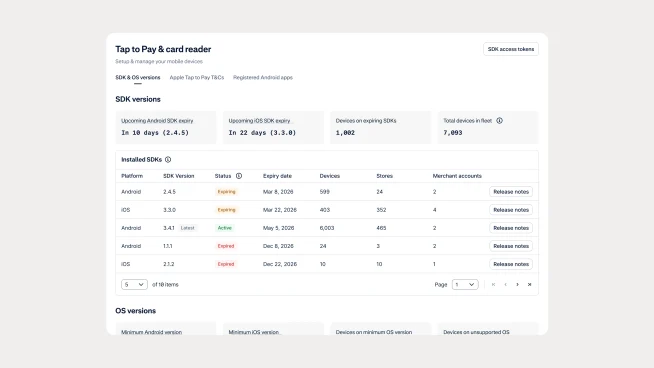
New insights for your mobile fleet
You can now monitor your In-Person Payments mobile fleet directly in the Customer Area. New pages provide visibility into the SDK and operating system versions running across your mobile devices. This helps you quickly understand the health of your fleet and identify devices that may require attention before version expirations cause payment issues.
Understand SDK and OS versions across your devices
The new mobile device pages show key details such as device model, merchant account or store, SDK version, OS version, and SDK expiry dates. You can also view a fleet-wide overview of SDK and OS versions, including how many devices are running each version. These insights make it easier to troubleshoot issues and plan upgrades across your mobile payment devices.
Check your fleet in the Customer Area
Log in to your Customer Area and navigate to In-Person Payments > Payment devices > Mobile devices to view individual devices. For a version overview, go to In-Person Payments > Tap to Pay & card reader > SDK & OS versions. To access these insights, make sure your integration uses iOS SDK version 2.9.0 or higher or Android SDK version 1.0.0 or higher.
Important notes
The mobile device list only shows devices that have called the /sessions endpoint. If a user uninstalls and reinstalls the app that integrates the Adyen SDK, a new installation ID is created and the previous ID remains in the list. In a future update, we will add the last transaction date to help you identify inactive installations.
If your fleet includes the Adyen Payments App, the underlying SDK version will be displayed today. A future update will also show the Adyen Payments App version.
Latest updates
 Financial products
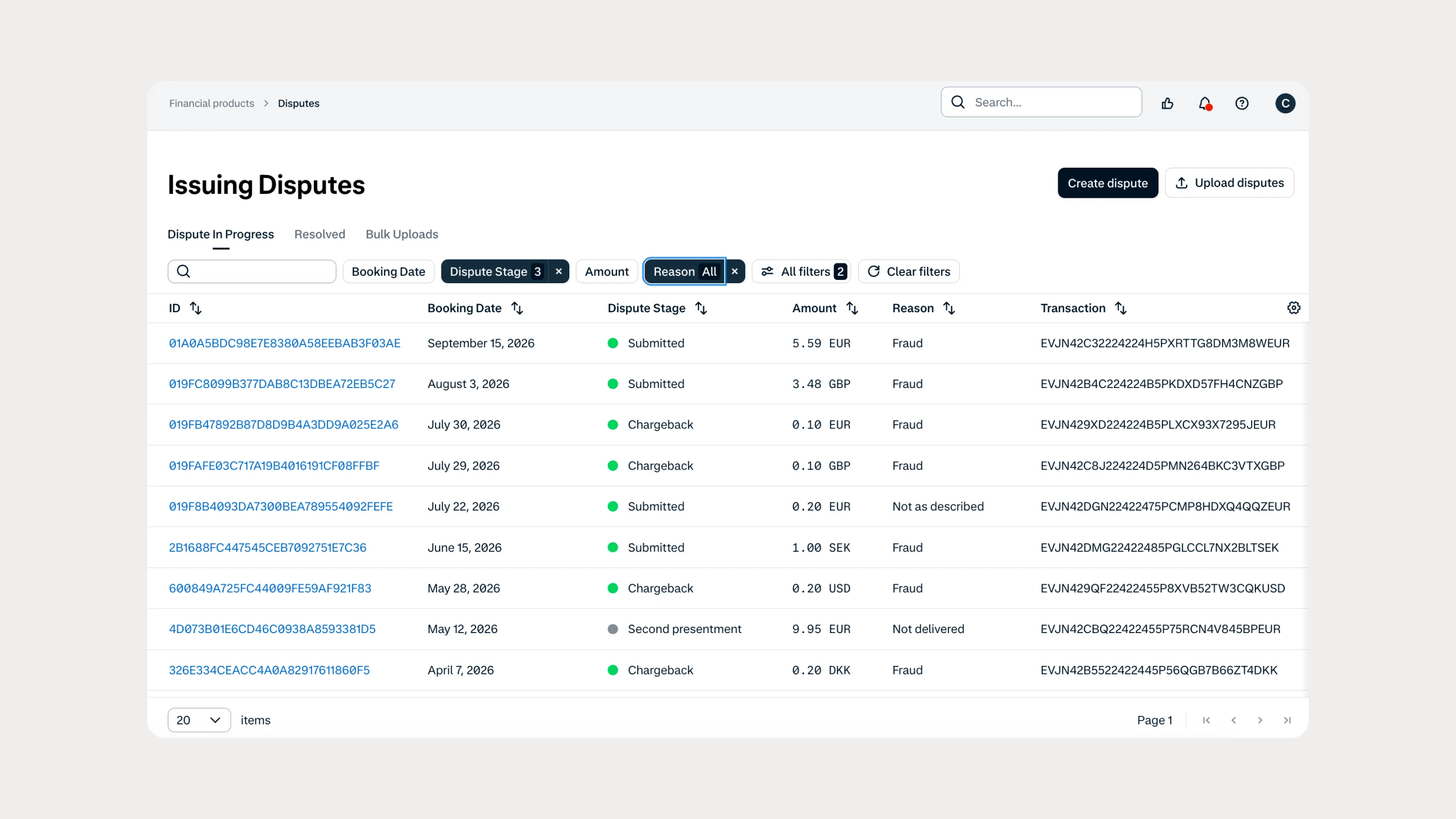
Manage Issuing disputes directly in your Customer Area
Issuing customers can now submit and manage disputes directly in Customer Area, with two new dispute reason codes available through both the UI and API.
 In-person payments
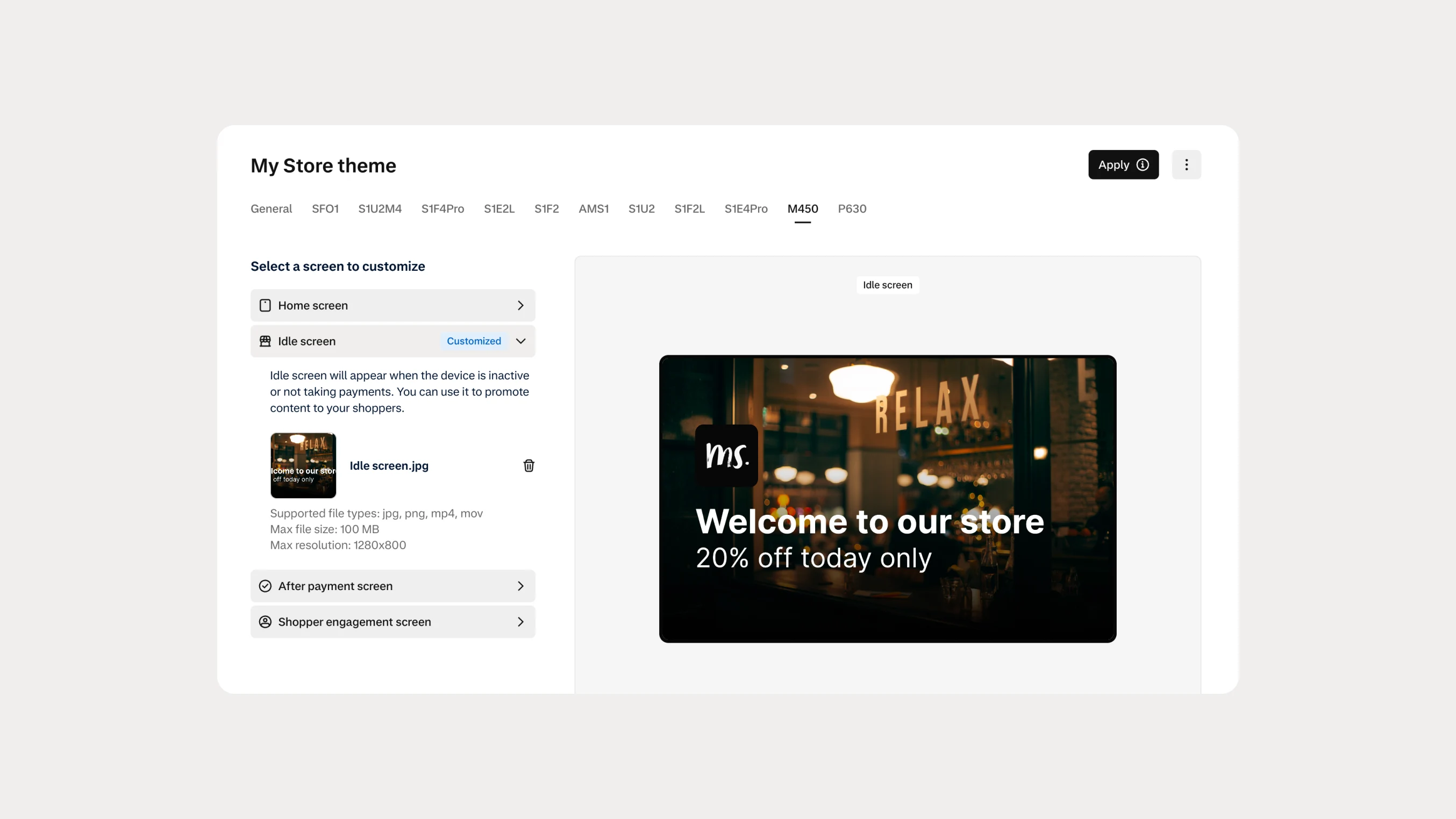
Automate Android terminal branding with Theme Management APIs
You can now use Theme Management APIs to automate branding and screen customization on Android payment terminals. Manage themes across company accounts, merchant accounts, stores, and individual terminals.