Generate multiple IPARs without delays
No more waiting or overwritten reports. Now, you can generate multiple Interactive Payment Accounting Reports (IPARs) simultaneously, each with a unique file name for easy tracking.
January 2025

No more waiting for your next IPAR
Accessing payment data should be simple. Until now, generating a second IPAR meant overwriting the first, forcing a wait time of up to an hour before creating another. That’s no longer the case.
Generate multiple reports without delays
Now, you can generate multiple IPARs at once. Each report comes with a unique file name, making it easier to track and organize reconciliation data without delays or confusion.
How to generate your IPARs
Get started today. Head to Customer Area > Reports > Interactive Payment Accounting Report to generate as many reports as you need.
Latest updates
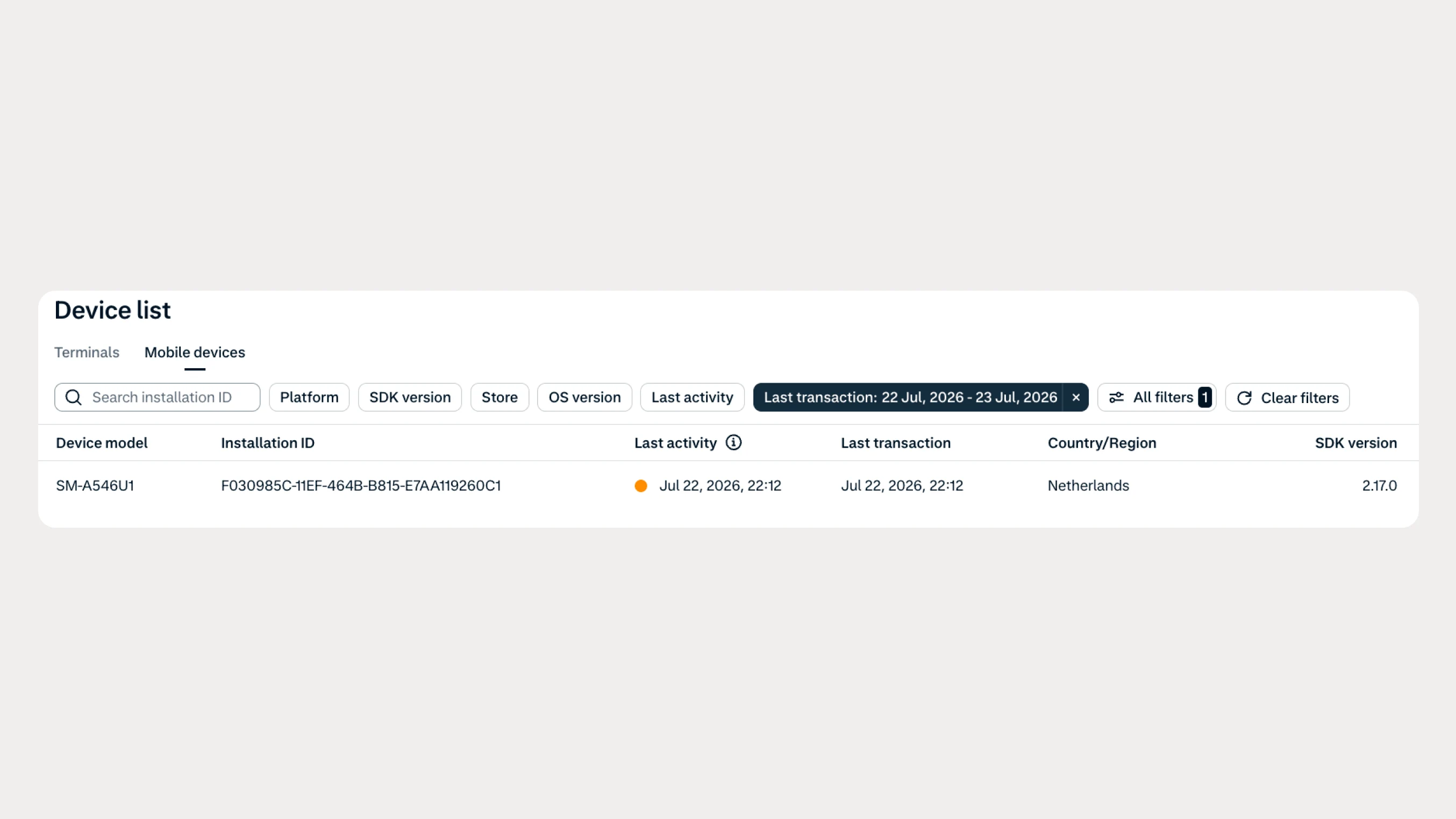
Manage your mobile device fleet with greater visibility
Track the latest activity across your SoftPOS devices with new filters and activity data in the Customer Area, making it easier to identify inactive devices and troubleshoot your fleet.
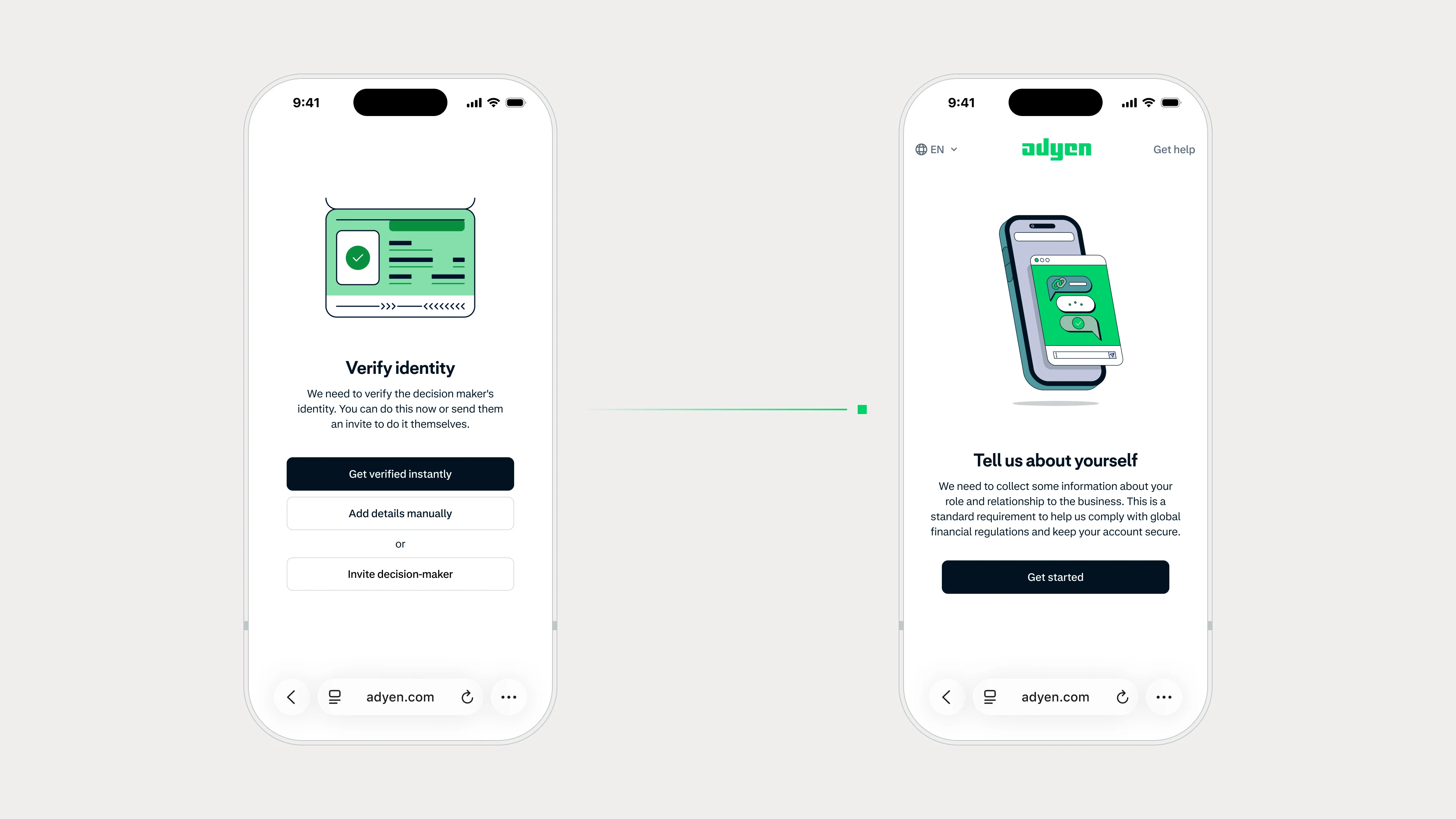 Adyen for Platforms
Let decision-makers collaborate on onboarding
You can now instantly delegate data collection during onboarding by inviting decision-makers to provide their own details. Reduce delays, get your users live days faster, and complete onboarding without additional development work.